I’ve realized recently that maybe the reason some people don’t comment or enter giveaways is because they don’t know how. For those of you that fall into this category (ahem, you know who you are) this post is for you!
Reasons to comment:
- To express a thought or opinion to the blog author. (Side note: Make sure you do this nicely! Sometimes the old adage “If you can’t say something nice, don’t say anything at all” is a good rule to live by. We like happy thoughts here at The Happy Brown House)
- Blog authors love comments!!! Me included…I get really giddy when you comment

- To enter a giveaway!
- To interact! Sometimes a blog author will ask a question…go ahead and answer!
How to Make a Comment on a Blog:
(click on pictures to make them larger)

|
| 1. At the bottom of the blog post, click on the words “Post A Comment”. |
|
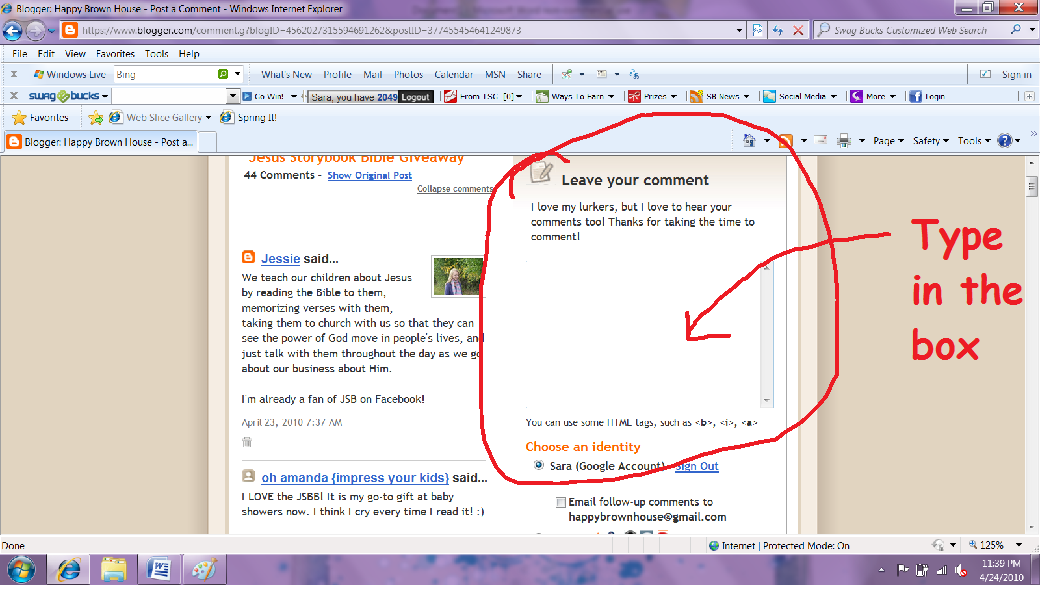
| 2. Type your comment in the box. |
|
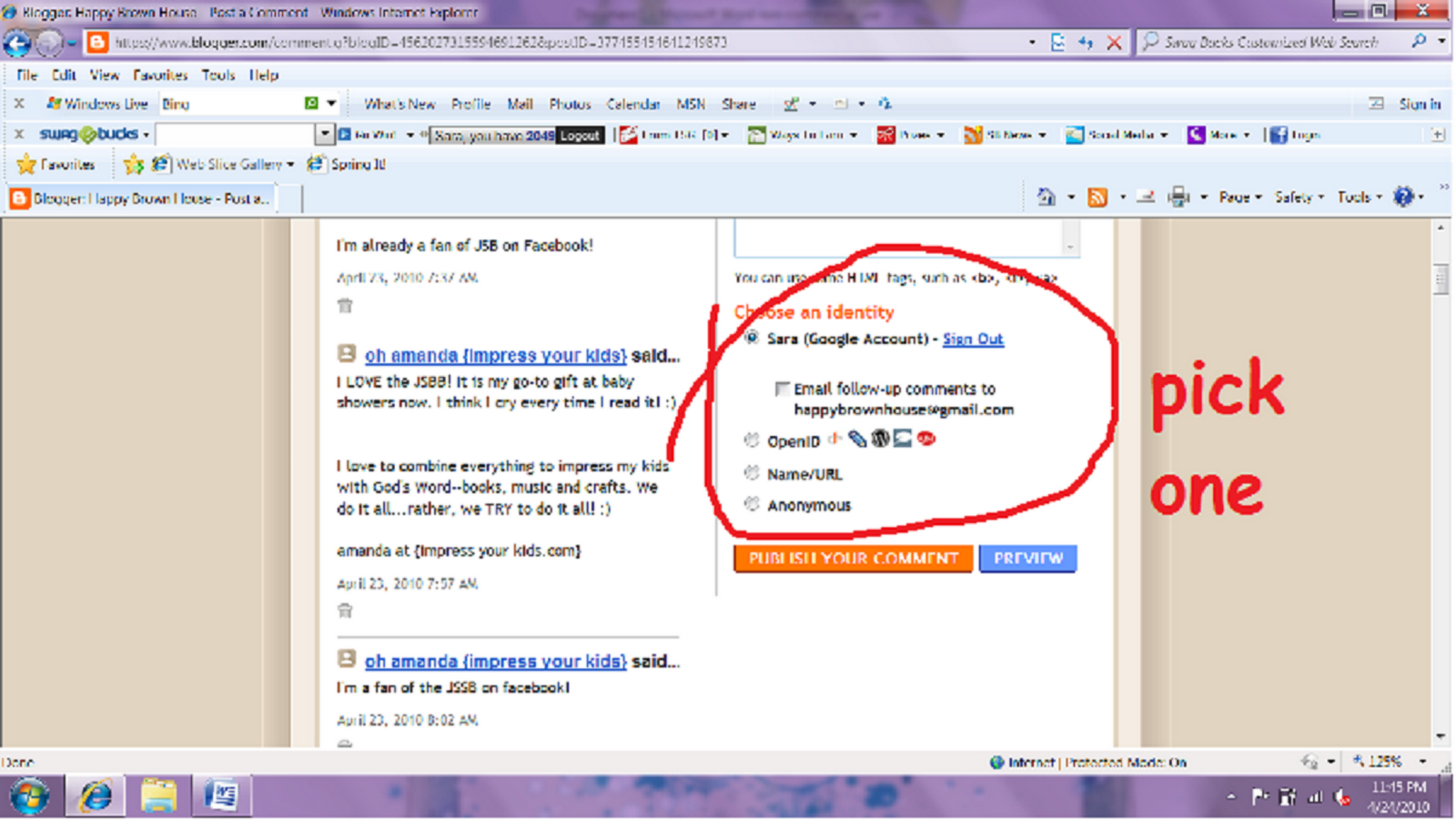
| 3. Pick an identity. |
|
|
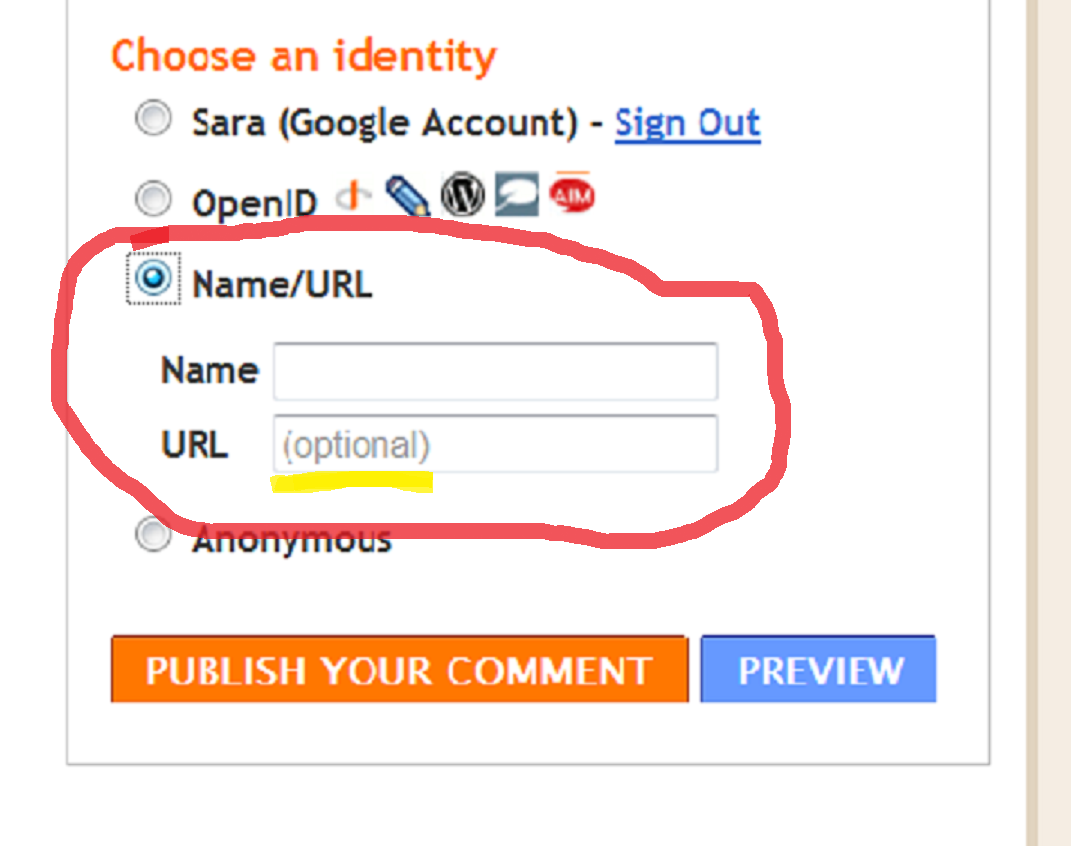
6. If you don’t have a blog, choose “Name/URL”. Enter your name. Notice that a URL is optional. 
7. Click the ORANGE button to “Publish Your Comment” Yay! You know how to comment! **Extra Credit: Practice commenting on this post! |











{ 3 comments… read them below or add one }
I have now practiced commenting
Thanks for the tutorial. Gotta start reading more of your blogs. They are so good.
Good post! Excellent advice and info!!